Why react-datatable
react-datatable exists for teams that want a production-shaped table fast, but do not want to give up source ownership once product requirements get specific.
The problem it solves
Most table projects start in one of two places:
- a headless library gives you strong primitives, but you still have to assemble the real product behavior around them
- a closed grid package gives you many features, but changing the shipped UI or interaction model becomes expensive
That tradeoff gets painful once a table stops being a demo and becomes part of the product. Search affects filters. Filters affect selection. Views need to capture table state. Shared links need to reproduce that state. Preview panels, grouping, bulk actions, and online loading all need to cooperate.
react-datatable is meant for that middle ground: you get the integrated behavior up front, and you still own the source.
Why teams pick it
1. It starts from a working system, not a feature checklist
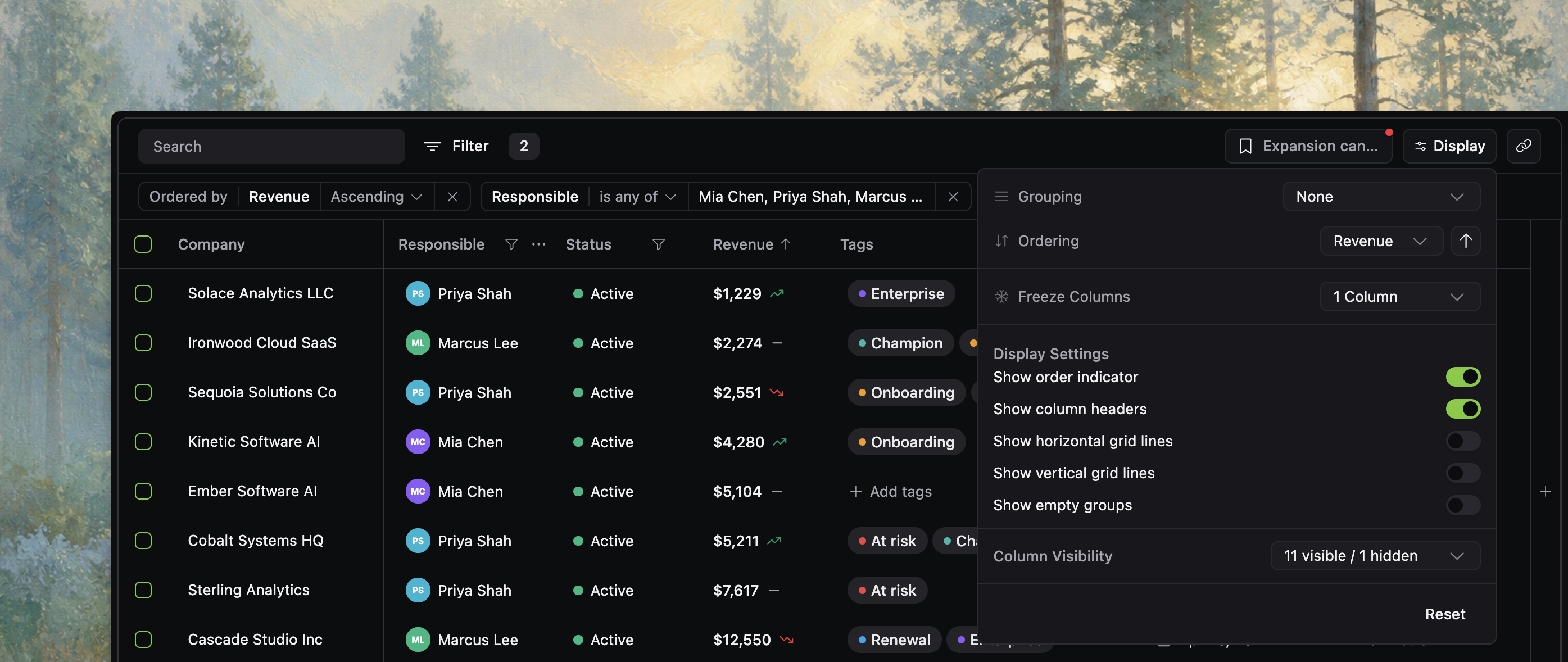
In the current source, DatatableBody already coordinates the toolbar, applied state bar, virtualized grid, view columns affordance, bulk action island, floating preview, and pagination or loading controls. DatatableToolbar already organizes quick search, filters, views, display options, and copy-link controls into one product surface.
That matters because real table work is usually about how features interact, not whether each feature exists in isolation.
2. You can change the shipped UI directly
Because the table lives as normal React source in your repository, you can:
- restyle or replace toolbar controls
- change cell rendering and row presentation
- adapt menus, dialogs, icons, and copy to your product
- keep the state and behavior contracts while changing presentation
This is a better fit for teams that expect their table UI to become product-specific rather than staying generic forever.
3. It works well with coding agents
Agents are much more effective when they can inspect local source, types, examples, and tests. With react-datatable, an agent can follow existing patterns to add a column, wire online mode, customize a preview panel, or update persistence behavior without first inventing the whole table architecture.
4. It leaves room to grow
The same docs corpus and source tree already support several common stages of table maturity:
- local data for a first internal tool or admin screen
- paginated or infinite online mode for server-owned data
- richer workflows like grouping, bulk actions, saved views, and shareable state
- deeper UI customization once the table becomes a product surface
That makes it a strong fit when you know the table will get more important over time.
What it is better than
react-datatable is usually a better choice than starting from primitives when:
- you need product behavior quickly, not just rows and columns
- you want one coherent system for filtering, sorting, views, sharing, and preview
- you expect source-level customization to be normal
- you want agent-friendly local source instead of a black box
It is usually a better choice than a closed grid when:
- the shipped UI will need meaningful product-specific changes
- you want to own the implementation details that matter to your UX
- you do not want to wait on vendor APIs or extension points for every customization
When not to choose it
react-datatable is not the right answer for every table.
Skip it when:
- you only need a simple static table
- you need spreadsheet-style editing first
- you are not building in React
- you do not want to copy and maintain source in your app
- a package with strict vendor boundaries is a better organizational fit for your team
How this page fits the rest of the docs
If you want a first working table next, start with Installation, then render static rows in Getting started.