Introduction
react-datatable is a source-owned React datatable for teams that need real product behavior without spending weeks assembling it from primitives.
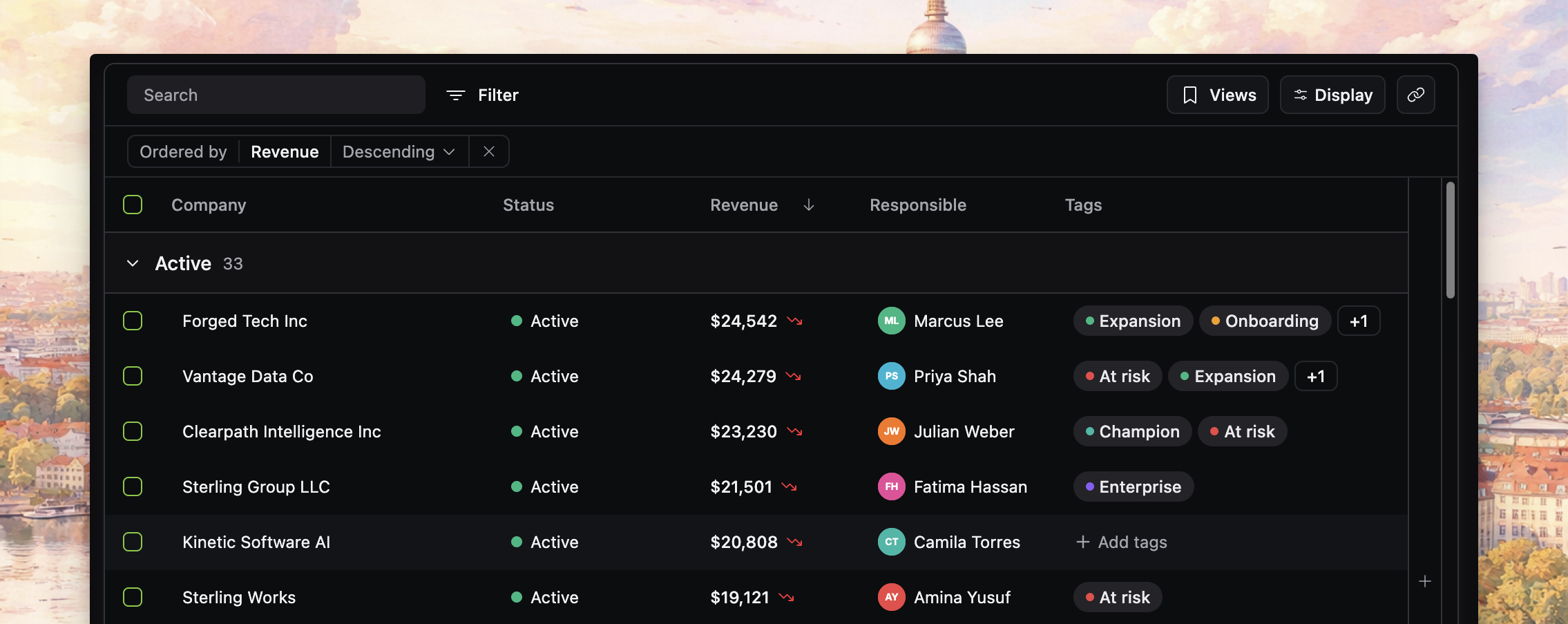
What react-datatable gives you
The table ships as one coordinated system, not a pile of separate recipes. In the current source, DatatableBody composes the toolbar, applied state bar, virtualized grid, column visibility affordances, bulk action island, floating preview, and pagination or loading controls.
Out of the box, that system can include:
- quick search and column filters
- sorting, grouping, and column ordering
- display options and column visibility controls
- row selection and bulk actions
- floating row preview
- saved views, current-view persistence, copy links, and URL-backed state
- local data mode, paginated online mode, and infinite online mode
- virtualization for large result sets
Why teams use it
Use react-datatable for tables that carry core product workflows, state, and interaction rules.
It is a good fit when you need to move quickly but still want a table that already understands how real product features interact: filters affect selection, views capture state, share links reproduce state, and local and server-backed modes follow the same mental model.
That matters even more in agentic workflows. Instead of asking an agent to invent a complete datatable architecture from scratch, you start from working source that already has the hard edges wired together. If you work with coding agents, you can point them to llms.txt for a compact docs index.
When it fits best
Choose react-datatable when:
- you want a production-shaped React table fast
- you need source-level ownership and UI customization
- you expect the table to grow from local rows to server-backed data
- you want one system for search, filtering, persistence, sharing, preview, and bulk workflows
It is probably the wrong tool when:
- you only need a simple static table
- you are not building in React
- you need spreadsheet-style editing behavior
- you cannot copy and maintain source inside your app
How to read these docs
The docs are organized by reader job:
- Quickstart gets you to a working first table.
- Concepts explain the table surface, data loading, state lifecycle, and persistence behavior.
- Guides show how to add one capability at a time.
- Customization covers changing the shipped UI and source safely.
- Examples show complete patterns in context.
- Reference keeps the exact API surface in one place.
If you want a first success quickly, go to Installation, then Getting started.